
Every tool you need, in one connected system.
Habits, goals, tasks, routines, analytics, and timers—connected so weekly work stays in one place. Free includes unlimited tasks; Premium unlocks deeper analytics and unlimited tracking.
Real product screens · iPhone and iPad
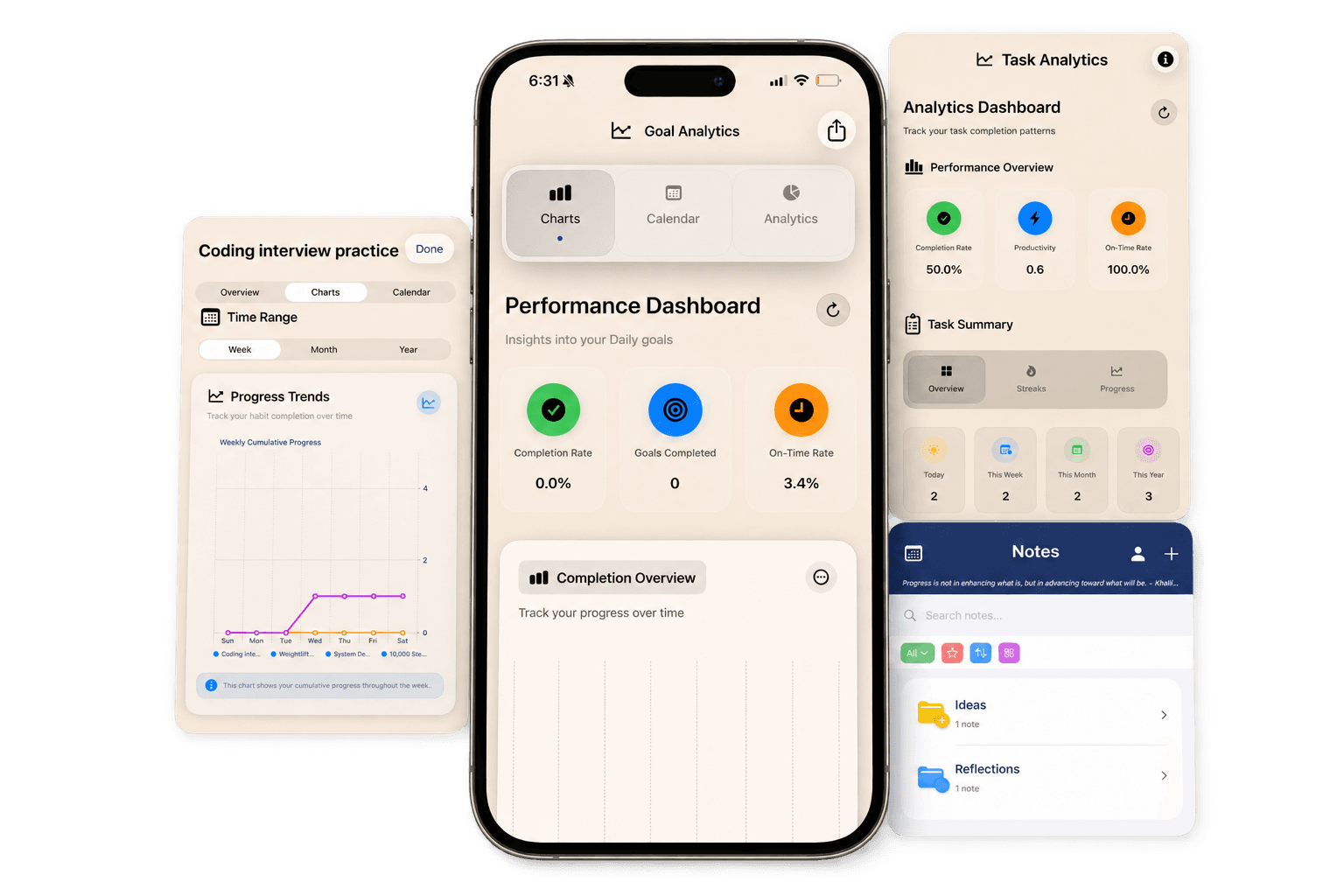
Eight tools. One weekly workflow.
Jump to any chapter, or read them in order. Each screen below is from the current iPhone app—not a concept mock.
01 · Habits
Weekly Habit Tracking
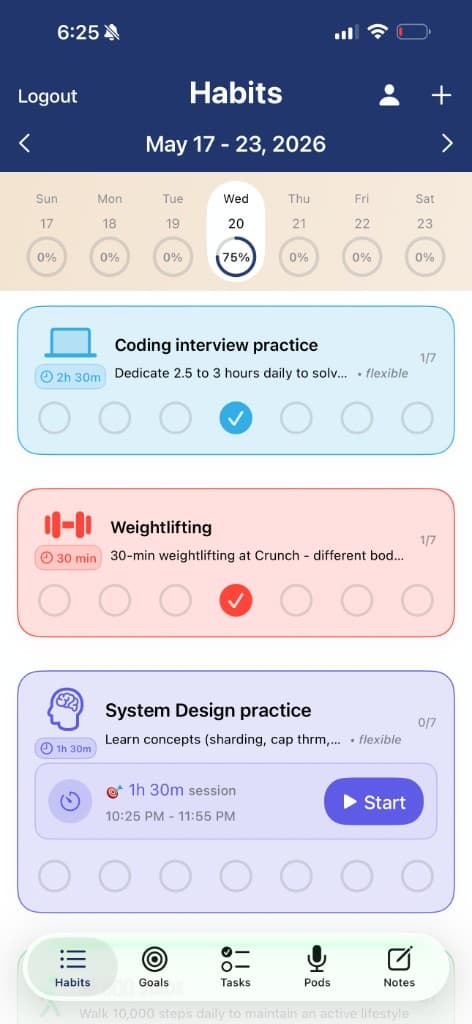
Open the Habits tab and instantly see this week, today’s completion percentage, timed sessions, and one-tap circles for every habit.
- 01Weekly strip with daily completion percentages
- 02Habit cards with target sessions and timers
- 03One-tap completion circles for each day
- 04Flexible habits for workouts, study, and routines
- 05Bottom tabs keep habits connected to goals and tasks
02 · Goals
Goal Templates & Matrix
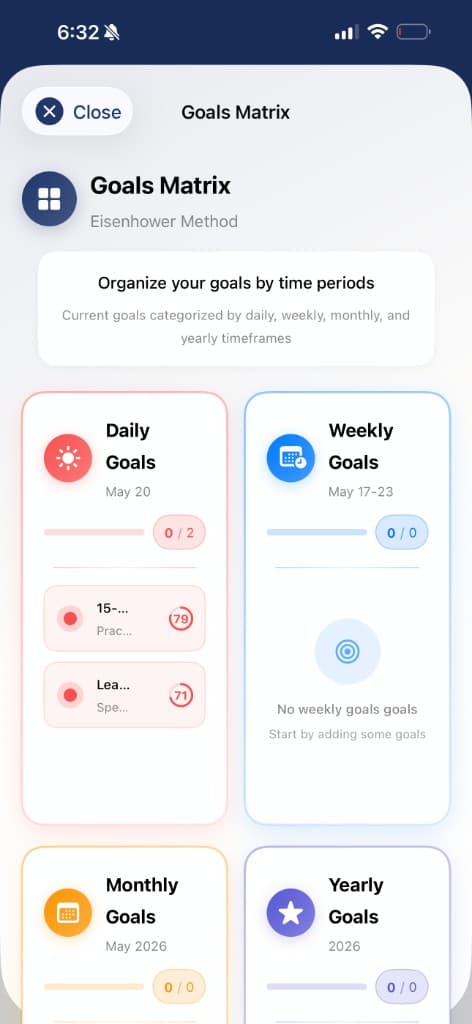
Start from popular goal templates or use the Goals Matrix to organize daily, weekly, monthly, and yearly goals in one visual system.
- 01Daily, weekly, monthly, and yearly goal lanes
- 02Popular goals by timeframe and category
- 03Custom goal creation with icons and descriptions
- 04Progress chips for each goal period
- 05Calendar and analytics views for follow-through
03 · Tasks
Tasks That Break Work Down
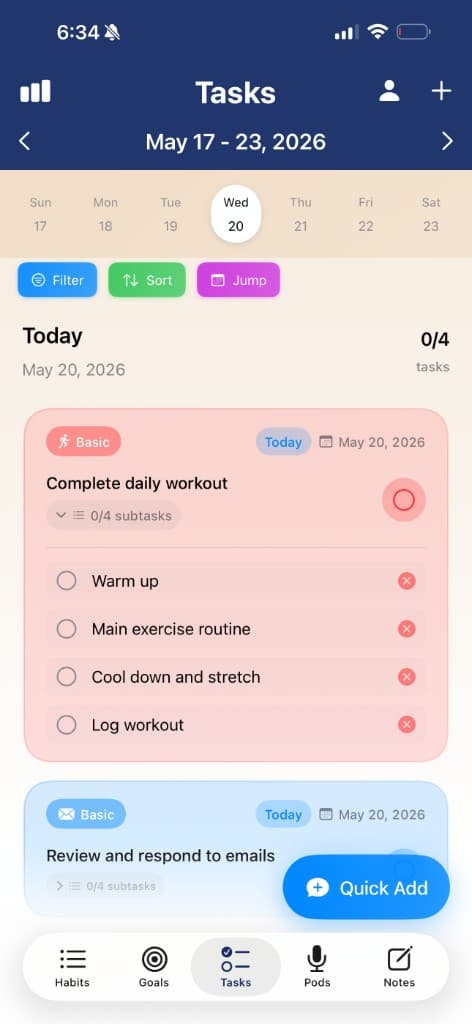
Tasks include dates, labels, priorities, subtasks, estimated time, filters, sorting, and quick add so your day stays organized.
- 01Today view with task count and weekly navigation
- 02Subtasks for breaking work into smaller steps
- 03Filter, sort, and jump controls
- 04Quick Add for fast capture
- 05Labels, priorities, dates, and estimated time
04 · Routines
Success Routines Library
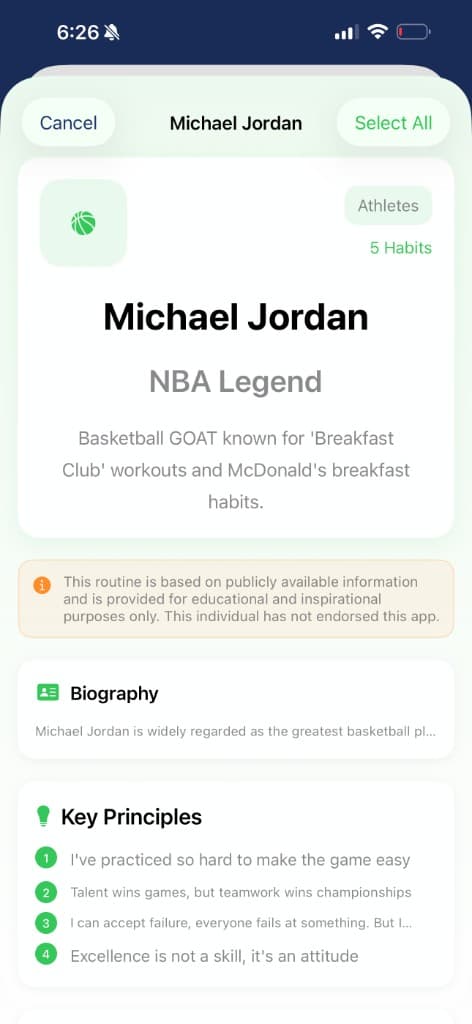
Browse routines from athletes, entrepreneurs, and tech leaders, then inspect the daily habits before adding the ones that fit your life.
- 01Athlete, entrepreneur, and tech leader categories
- 02Routine cards with habit counts
- 03Detail screens with biographies and principles
- 04Daily routine lists with times and durations
- 05Select only the habits you want to adopt
05 · Templates
Popular Task Templates
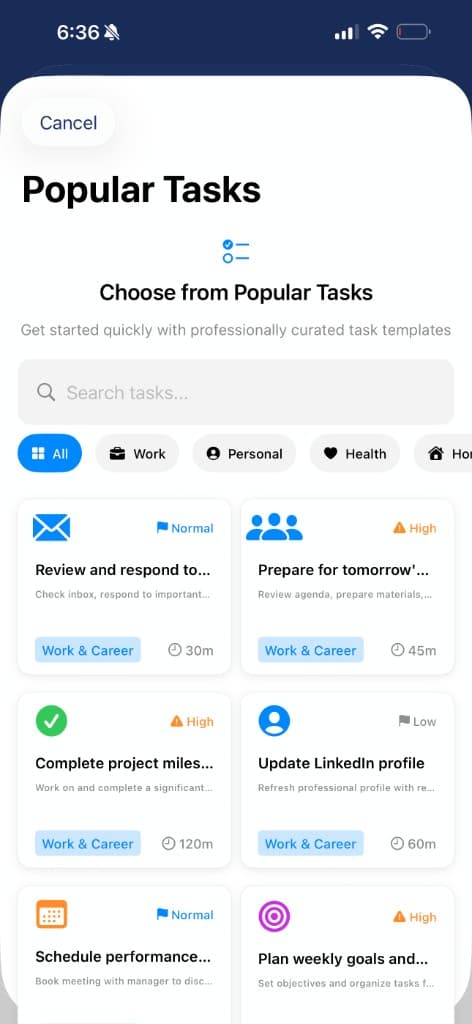
Choose professionally curated task templates by category, from work and personal tasks to health, home, errands, and finance.
- 01Searchable task template library
- 02Category chips for work, personal, health, home, and errands
- 03Priority indicators directly on cards
- 04Estimated time on every template
- 05Fast setup for common recurring work
06 · Analytics
Goal Analytics Dashboard
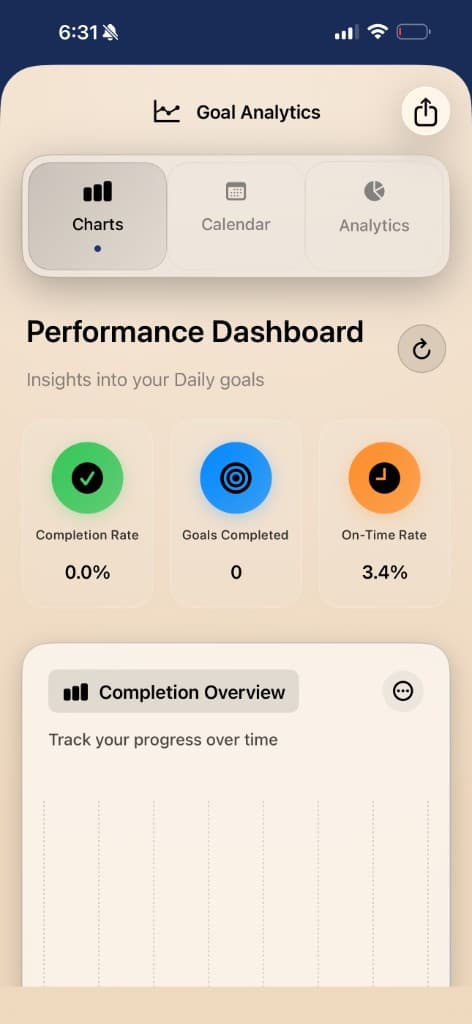
Goal analytics show completion rate, goals completed, on-time rate, charts, calendars, and trend analysis so progress stays measurable.
- 01Completion, count, and on-time metrics
- 02Charts, calendar, and analytics tabs
- 03Daily goal progress cards
- 04Trend analysis for completion rate
- 05Shareable analytics view
07 · Habit analytics
Habit Analytics & Calendar
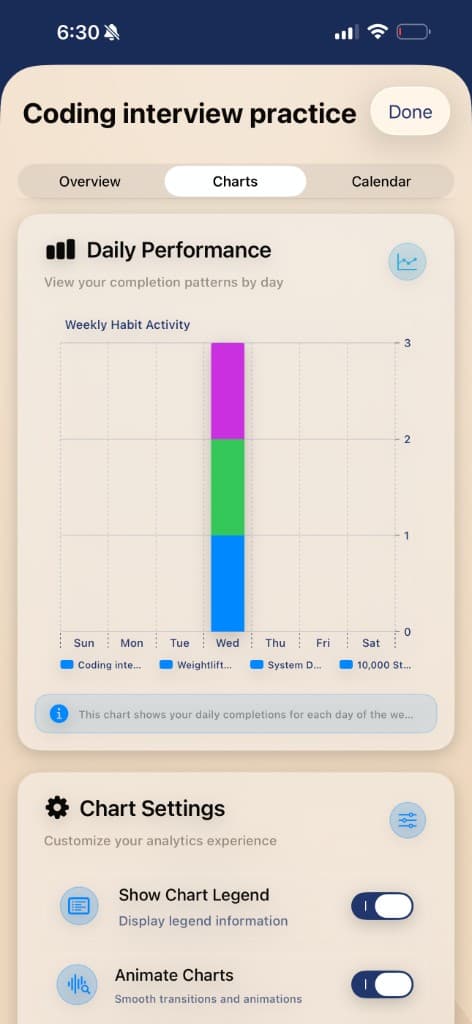
Each habit can be reviewed with an overview, charts, and calendar so you can see completion patterns rather than guessing.
- 01Overview, charts, and calendar tabs per habit
- 02Daily performance charts
- 03Weekly cumulative progress trends
- 04Chart settings and share analytics
- 05Habit calendar with completion legend
08 · Timers
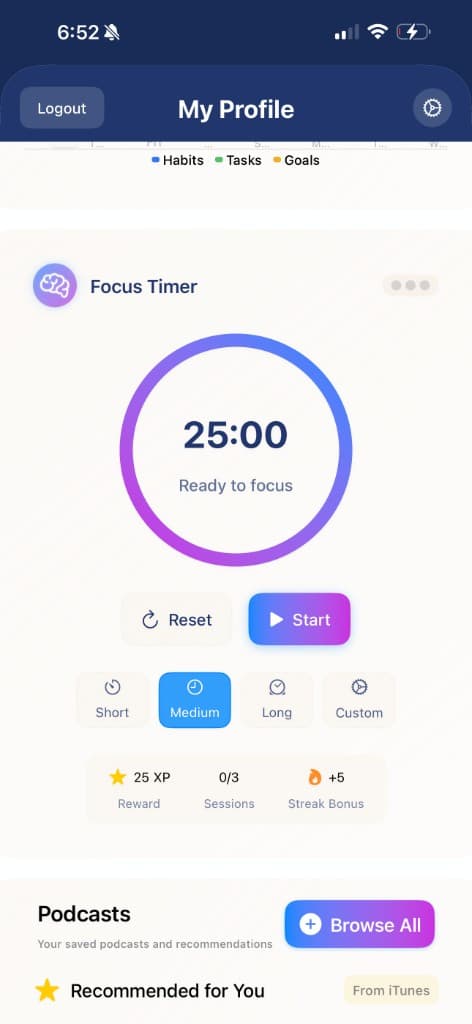
Focus Timers
Start timed sessions from habits and keep momentum visible with a circular timer, pause controls, completion actions, and active timers.
- 01Timers attach directly to habits
- 02Large circular countdown progress
- 03Pause, stop, and complete controls
- 04Active timer list
- 05Designed for deep work and routines
See how the tools connect
Bring your weekly workflow into one place.
Review current iPhone and iPad access, then compare the core tools with Premium features.